PAIR ONCE
One pair.
Always nearby.
Approve your computers once. They remember each other from then on.
File sharing for Mac & Windows
Different computers. A familiar way to share. Pair your Mac and PC once, then send files and folders with a simple drag and drop.
Apple Silicon Mac · Windows x64
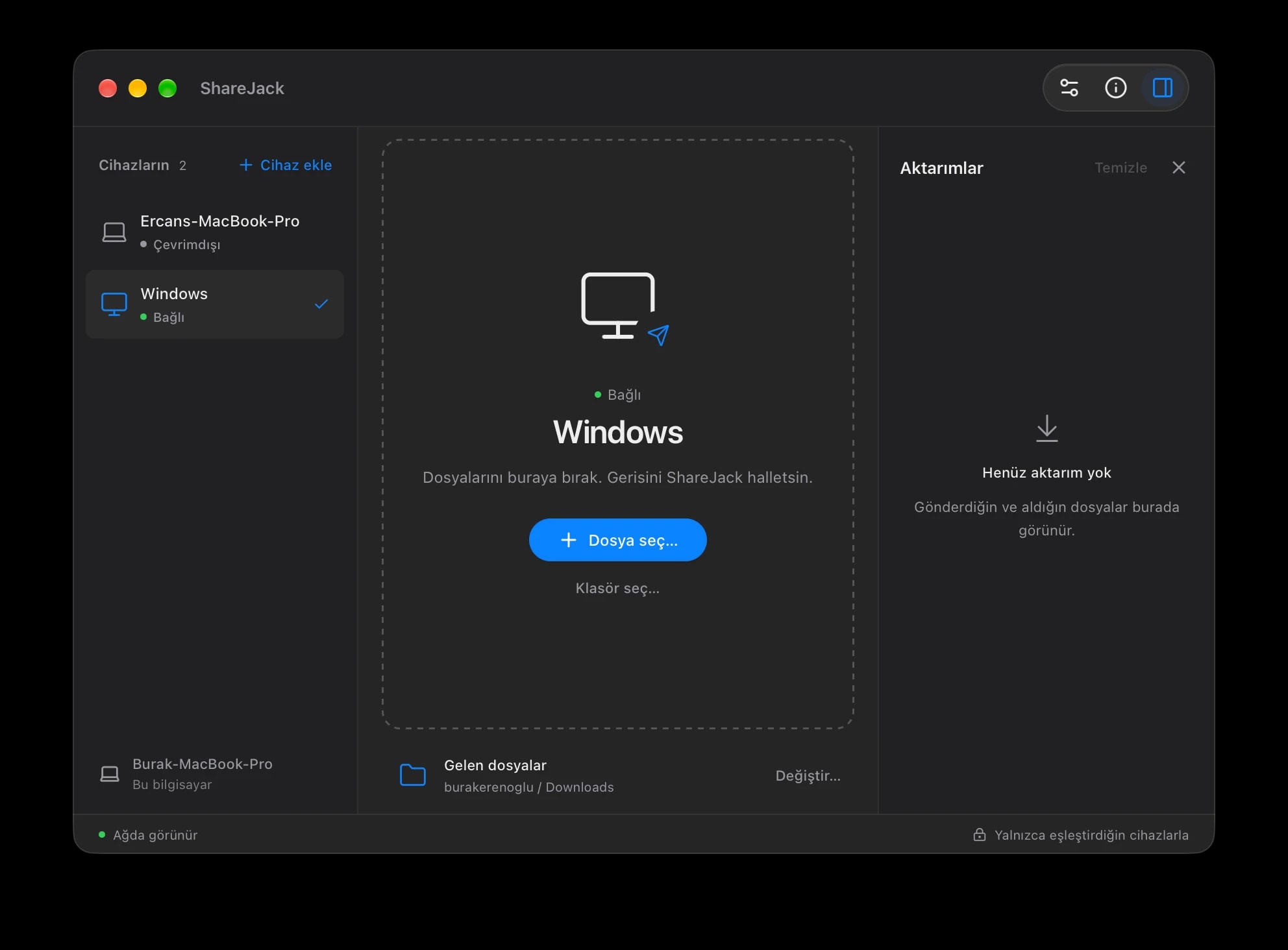
Less back and forth. More done.
PAIR ONCE
Approve your computers once. They remember each other from then on.
CLOSE TO HOME
Nearby devices appear automatically. Pick a computer and send.
PRIVATE BY DESIGN
Encrypted in transit. Shared between your computers. Never stored on a server.
THE WHOLE FOLDER
Send files and subfolders together. Keep their paths in place.
A LITTLE FURTHER
Share with paired computers over the internet. No server setup or port forwarding.
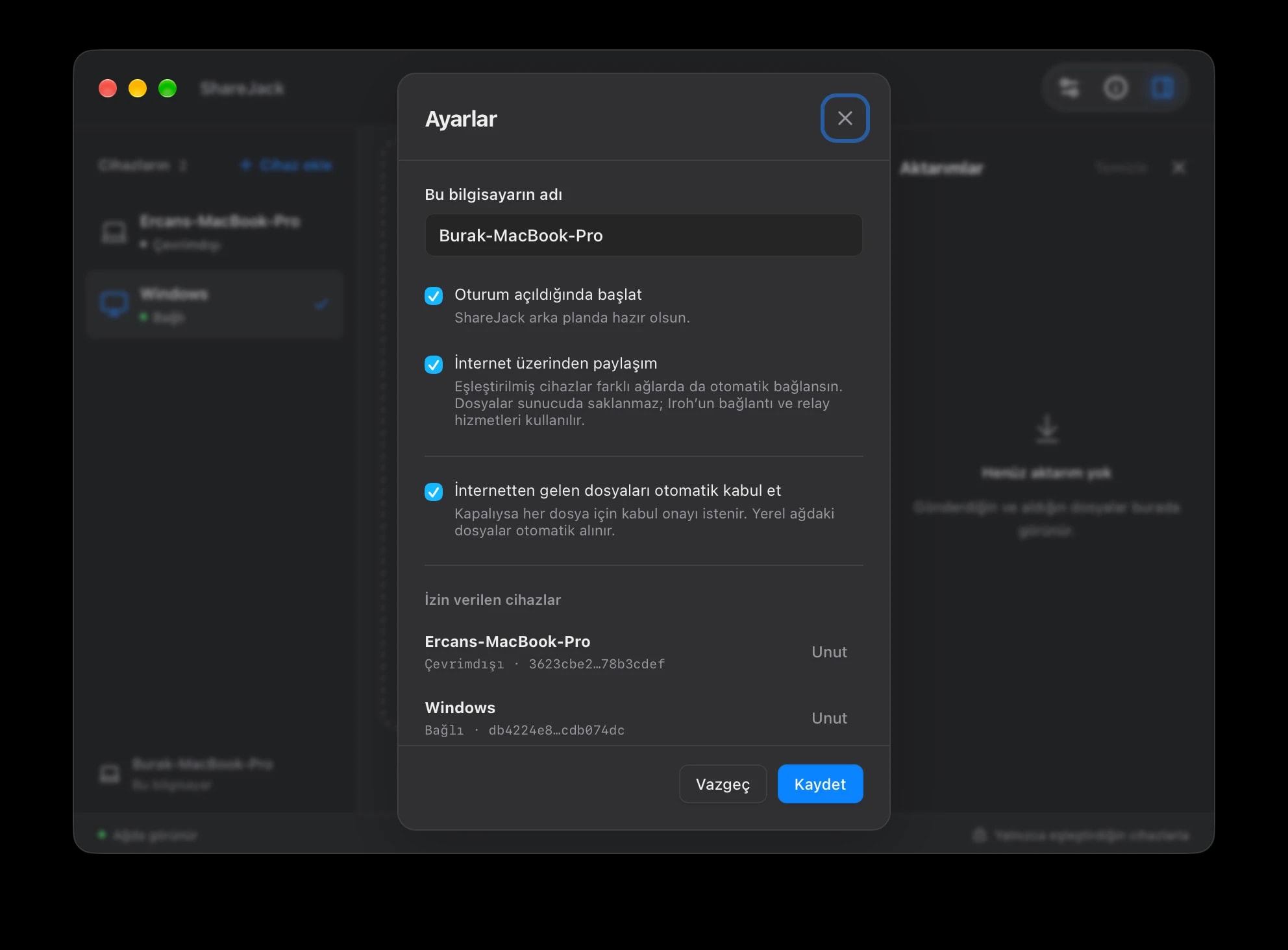
Your devices. Your rules.
ShareJack stays quietly in your menu bar or system tray. Choose how it starts, how your devices connect, and when incoming files need your approval.
Up and running
Download ShareJack for your Mac and Windows PC. Open the app on both computers.
Find the other computer or send an internet invitation. Verify the eight-digit code, then approve the connection on both devices.
Select your paired computer and drop in a file or folder. Received files go to the folder you choose.
Pairing is saved. Your computers reconnect automatically.
A few useful answers
ShareJack is available for Apple Silicon Macs running macOS 12 or later, and Intel or AMD x64 Windows PCs. Install it on both computers before pairing.
You can share over the same local network or over the internet. For a first connection across different networks, create an internet invitation on one computer and accept it on the other. Internet sharing must be enabled on both devices.
No. Files are transferred between your computers and are not stored on a server. Internet transfers use an encrypted direct connection when possible; a relay can forward encrypted traffic when a direct connection is unavailable.
Yes. Both computers need to be running ShareJack and connected during a transfer. Pending sends are kept on the sending computer; ShareJack does not provide cloud storage or offline delivery.
Yes. Drop a folder into the app or use the folder picker. Files and their subfolder paths are preserved. Empty folders, symbolic links and macOS-specific extended attributes are not transferred.
Yes. Open Settings, find the allowed device and choose Forget to revoke its permission. A new pairing is needed before that device can connect again.

macOS 12+ on Apple Silicon · Windows x64 · Install on both computers